
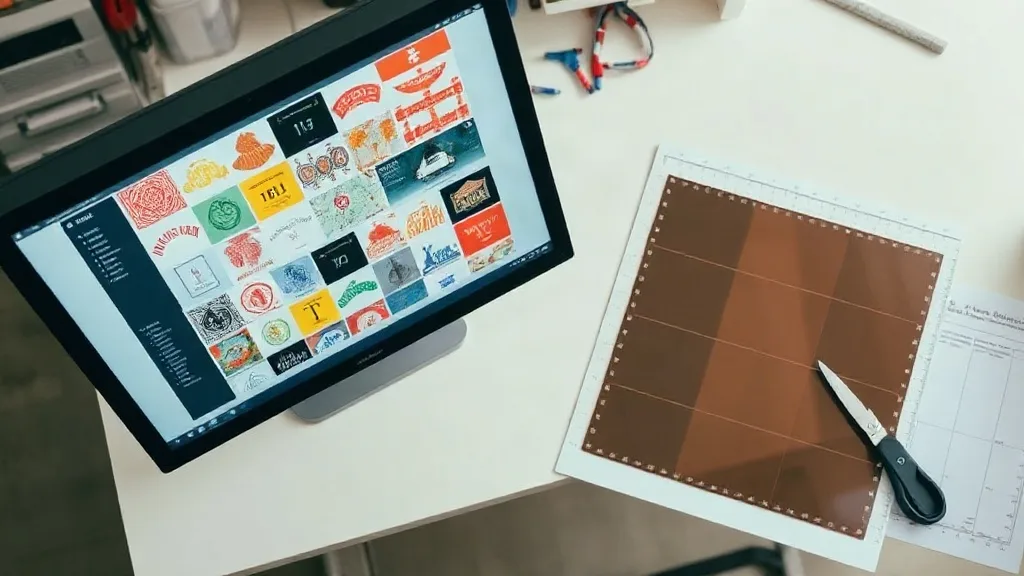
If you run a DTF printing business, you already know that every square inch of film counts. But have you ever considered how your layout decisions on a DTF Gangsheet impact your bottom line? Efficient gangsheet layouts are not just about fitting more designs; they are about reducing waste, saving time, and maximizing profit. In this guide, we will explore actionable strategies to optimize your gangsheet layouts, from nesting techniques to software tools, so you can produce more with less.
Why Layout Efficiency Matters in DTF Printing
DTF printing involves transferring designs onto film, which is then pressed onto garments. The film and ink are your primary consumables, and their costs add up quickly. Inefficient layouts lead to wasted film, excessive ink use, and longer production times. By optimizing your gangsheet layout, you can significantly cut down on waste, reduce material costs, and speed up your workflow. Moreover, a well-planned gangsheet ensures consistent quality and fewer errors, which translates to happier customers and more repeat business.
Key Principles of Efficient Gangsheet Layout
Before diving into specific techniques, it's essential to understand the core principles that guide effective gangsheet design. These principles apply regardless of the software you use or the size of your operation.
1. Minimize Empty Space
Empty space on a gangsheet is wasted film and ink. Your goal should be to fill every possible area with designs, leaving only the necessary gaps for cutting and handling. This requires careful arrangement of designs, often called nesting.
2. Group Similar Jobs
If you have multiple orders that use the same or similar colors, group them together on the same gangsheet. This reduces color changes and ink waste during printing. Additionally, grouping by size or garment type can streamline the cutting and pressing process.
3. Consider the Grain of the Film
DTF film has a grain direction, and designs should be oriented accordingly to ensure proper adhesion and stretch. Always align designs with the film's grain to avoid issues during transfer.
4. Allow for Bleed and Cutting Margins
Each design needs a small margin around it for cutting and to prevent ink from bleeding into adjacent designs. However, don't overdo it; excessive margins waste space. A standard bleed of 2-3mm is usually sufficient.
5. Use Standard Sheet Sizes
Standardizing your gangsheet sizes to common dimensions (e.g., 13x19 inches, 24x36 inches) can simplify planning and reduce offcuts. Many RIP software programs have templates for standard sizes.
Advanced Nesting Techniques
Nesting is the art of arranging designs on a sheet to minimize unused space. While manual nesting can be effective, software tools can automate the process and achieve better results. Here are some advanced nesting techniques to consider.
Rotate Designs for Better Fit
Sometimes rotating a design 90 degrees can allow it to fit into a tight spot. However, be mindful of the grain direction; not all designs can be rotated without affecting the final product. Test rotations on a small scale before committing to a full sheet.
Combine Different Sizes
Mixing small, medium, and large designs on the same sheet can fill gaps that a single size might leave. For example, place small logos in the spaces between larger prints. This approach maximizes film utilization.
Use Interlocking Shapes
Designs with irregular shapes can often be interlocked like puzzle pieces. This is especially useful for text or logos with open areas. By nesting these shapes, you can drastically reduce wasted space.
Software Tools for Layout Optimization
Several software solutions can help you create efficient gangsheet layouts. These tools range from dedicated nesting software to features within RIP programs.
- RIP Software: Many RIP programs, such as CadLink or Onyx, include nesting features that automatically arrange designs to minimize waste. These tools often allow you to set parameters like spacing and rotation.
- Dedicated Nesting Software: Programs like Tilia Labs or Phoenix offer advanced nesting algorithms that can handle complex shapes and maximize film usage. They are particularly useful for high-volume shops.
- Online Layout Tools: Some online platforms provide free or low-cost gangsheet builders where you can upload designs and arrange them manually or automatically. These are great for small businesses.
Investing in good software can pay for itself quickly through reduced material costs. However, even with software, manual oversight is essential to ensure quality and avoid errors.
Practical Tips for Daily Operations
Beyond the technical aspects, adopting good habits in your daily workflow can further enhance layout efficiency. Here are some practical tips.
Plan Ahead
Batch similar jobs together and plan your gangsheets in advance. Rushing often leads to poor layouts and waste. Set aside time each week to review upcoming orders and plan your sheets accordingly.
Keep a Library of Standard Layouts
For recurring orders, create template layouts that you can reuse. This saves time and ensures consistency. Store these templates in your software for quick access.
Train Your Team
Ensure that everyone involved in layout design understands the principles of efficient nesting. Regular training sessions can help maintain high standards and reduce errors.
Monitor and Measure
Track your film usage and waste regularly. Identify patterns and areas for improvement. Simple metrics like percentage of film used per sheet can highlight opportunities for savings.
Common Mistakes to Avoid
Even experienced operators can fall into traps that lead to inefficient layouts. Watch out for these common mistakes.
- Overcrowding: While you want to minimize space, leaving too little margin can cause cutting errors and ink bleeding. Always adhere to minimum spacing requirements.
- Ignoring Grain Direction: Placing designs against the grain can result in poor transfer quality and customer complaints.
- Not Grouping by Color: Mixing jobs with different color requirements on one sheet can lead to excessive ink changes and waste.
- Failing to Update Software: Using outdated nesting software may not provide the best optimization. Keep your tools up to date.
Frequently Asked Questions
What is the ideal spacing between designs on a gangsheet?
A general rule is to leave 2-3mm of space between designs. This allows for cutting and prevents ink from bleeding into adjacent prints. However, the exact spacing may depend on your printer's capabilities and the complexity of the designs.
Can I reuse leftover film from a gangsheet?
Yes, you can use leftover film for smaller jobs or test prints, but ensure it is clean and free of wrinkles. However, reusing film may not be suitable for high-quality production runs due to potential inconsistencies.
How does nesting software handle irregular shapes?
Advanced nesting software uses algorithms to rotate and position irregular shapes to maximize film usage. It can interlock shapes and find optimal arrangements that would be difficult to achieve manually.
What are the signs of an inefficient gangsheet layout?
Signs include large unused areas, excessive ink usage, frequent cutting errors, and longer production times. If you notice these, review your layout strategy and consider using nesting software.
Is it worth investing in dedicated nesting software for a small shop?
For small shops with limited volume, the cost may not be justified. However, if you frequently produce gangsheets, even a small investment in software can lead to significant savings over time. Start with free trials or basic RIP features before committing to expensive solutions.
By implementing these strategies, you can transform your gangsheet layouts from a source of waste to a competitive advantage. Remember, efficiency is not just about saving money; it's about delivering quality and speed that keeps customers coming back.